
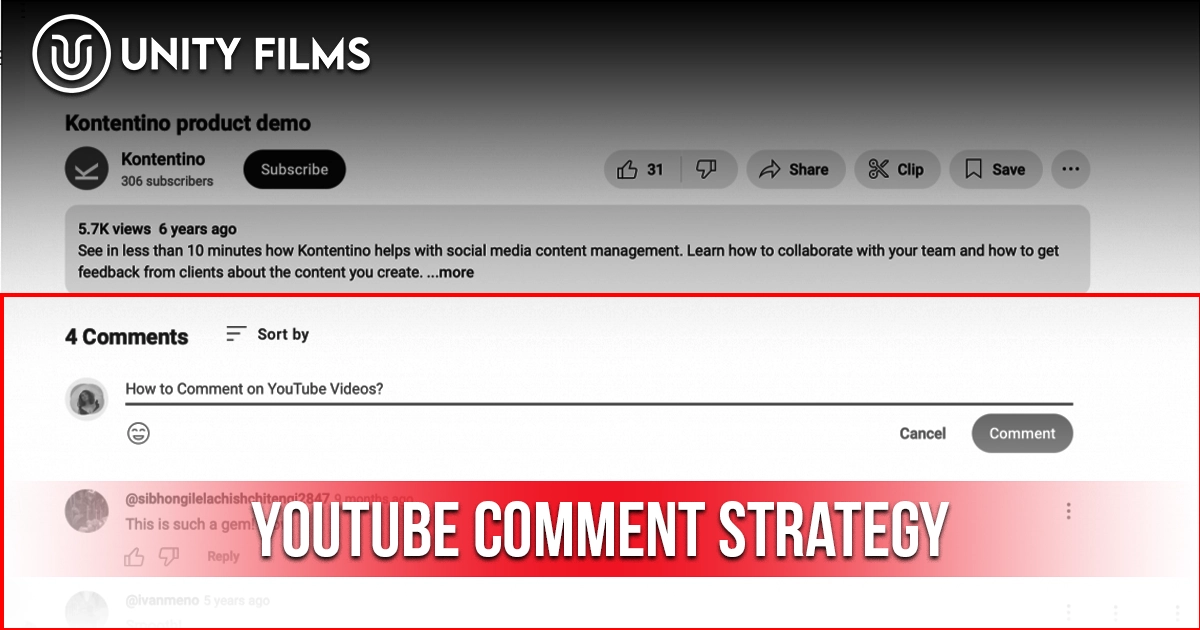
Most creators treat comments as an afterthought. They upload the video, glance at the section a day later, maybe reply to a couple of nice ones, and move on. That habit is exactly why their videos plateau. Comments and community engagement are among the strongest signals feeding YouTube’s recommendation system which means the comment section isn’t a nice-to-have, it’s one of the highest-leverage growth tools you have.
A strong YouTube comment strategy does three things at once: it signals to the algorithm that your content sparks genuine conversation, it builds a returning viewer base that watches multiple videos across sessions, and it creates social proof for new viewers deciding whether to click. Ignore comments, and all three levers sit unused.
Across channels we’ve worked on, channels that reply strategically to comments in the first hour after upload see meaningfully higher early distribution than channels that ignore the section entirely. This guide covers why comments matter, response-time priorities, the frameworks that generate replies, and the contrarian truth about “engagement” most guides skip.
Why YouTube Comments Matter in 2026
According to YouTube’s own Help documentation, the recommendation system considers content viewers have “engaged with, such as likes, shares, comments,” alongside watch history, and states that “positive viewer interactions are a strong signal for the recommendation system.” Comments are one of the few engagement actions requiring real effort, which is why they carry more weight than passive metrics like views alone.
Two structural reasons comments hit harder than most creators realize:
- They create session extension. Viewers who read and reply to comments stay on your video longer, and often return to check for responses both feed session contribution, a metric YouTube has confirmed is central to its 2026 recommendation approach.
- They provide social proof. A video with a visibly active comment section shifts click-through rate positively for new viewers scanning search or Browse results.
Honestly, the exact algorithmic weight of comments versus other signals isn’t published. What’s consistent across creator reporting is direction: channels with active comment sections consistently outperform passive ones at similar view counts.
YouTube Comment Response Priorities
Speed matters, but not all comments deserve the same speed. The pattern most active creators follow: the bigger the channel, the faster the expected response time, since larger channels generate enough comment volume to make delayed replies feel impersonal.
The first hour after upload matters disproportionately. Creators who prioritize replying during this window rather than spreading replies evenly across the following days tend to see comment threads build faster, since early creator replies invite other viewers to jump into the conversation.
For comments that arrive after that window, the goal shifts from “reply to everything” to “reply strategically.” Not every comment needs a response, but ignoring the ones that do can quietly kill your community over time.
The 3-Tier Comment Priority Framework
Treating every comment equally guarantees you’ll waste time on some and miss others that mattered. Use this priority framework to triage:
P1: Reply as Soon as Possible
- Comments with purchase intent (“How much does the course cost?”)
- Support issues (“The download link isn’t working”)
- Questions that other viewers will also want answered
- Comments from notable viewers, collaborators, or larger channels
- Moderation risks (hate speech, impersonation, spam links) hide or delete, don’t reply
P2: Reply Within a Day
- Useful questions from engaged viewers (“What settings did you use for that shot?”)
- Content requests (“Can you do a tutorial on X?”)
- Comments from returning viewers whose names you recognize
- Thoughtful disagreements that respect the topic
P3: Reply When You Can (Or Don’t)
- Generic “great video” comments
- Praise without a follow-up hook
- Anything that doesn’t invite a specific response
A P1 comment left unanswered can mean a lost sale, a frustrated customer taking their complaint public, or a toxic thread that poisons your section before you see it. A P3 comment left unanswered for a week costs nothing.
The 10 YouTube Comment Strategies That Actually Move the Needle
These are the specific moves that turn comments into algorithm fuel, not just filler engagement.
1. Pin a Comment With a Specific Ask
The pinned comment is the highest-visibility real estate in your comment section. Every viewer sees it. Use it to prompt a specific action instead of leaving the slot empty or filling it with generic promotion.
The formats that consistently generate replies:
- A polarizing question (“Do you think posting daily beats posting twice a week with higher quality?”)
- A timestamp challenge (“What did you think about the point I made at 3:47?”)
- A micro-poll (“A, B, or C — which would you pick?”)
- A direct question tied to a specific moment in the video
Across creators using this approach, well-crafted pinned comments consistently generate more replies than channels using generic CTAs or leaving the pin slot empty.
2. Design Comments Into the Script, Not After
Comment prompts written in the script itself outperform post-upload calls to action. Bake a specific question into your video around the 60% mark after you’ve delivered value but before the CTA. Viewers who are already engaged commit to commenting more readily than viewers waiting for the wrap-up ask.
Weak: “Comment down below with your thoughts.” Strong: “By minute 5, you’ll have picked your side of this drop A or B in the comments right now.”
Our full breakdown of how to write a YouTube script covers where to place these prompts for maximum activation.
3. Trigger Viewer-to-Viewer Replies With Debate Prompts
The strongest community signal isn’t creator-to-viewer replies it’s viewer-to-viewer replies. Threads that develop between viewers signal genuine community vitality, not just a creator prompting engagement. Debate-style pinned comments produce this pattern most reliably.
Both sides of the debate need to be defensible so viewers actually pick sides. “Cast iron or stainless steel for the perfect steak?” on a cooking channel creates real threads. “Which is better?” without specifics rarely does. You’re not trying to start a fight. You’re starting a discussion.
4. Reply With Follow-Up Questions Instead of “Thanks!”
A “Thanks for watching!” reply is a dead-end for the conversation. A follow-up question is an invitation to keep talking.
- Viewer: “Loved the segment on X.”
- Weak reply: “Thanks!”
- Strong reply: “Appreciate that which part surprised you most, the data or the framework?”
Follow-up questions turn single comments into threads, which turn into notification pings back to the original viewer, which turns into repeat visits to check for responses. All of that feeds session contribution and returning viewer signals.
5. Use Voice Replies for Personality-Driven Channels
According to Social Media Today’s coverage of YouTube’s creator updates, YouTube began testing voice replies to comments in December 2024, expanded access to millions of creators through 2025, and rolled the feature out to all creators by early 2026. Replies can run up to 30 seconds of audio recorded from the mobile app. For personality-driven channels, a spoken reply lands differently than typed text.
Use voice replies sparingly reserve them for high-value comments where personality matters, not routine acknowledgments.
6. Spotlight One Viewer Comment Per Week
Recognition on a schedule beats recognition at random. A weekly Subscriber Spotlight pinning, mentioning in the next video, or featuring in a community post — does two things at once:
- Rewards the viewer being featured (they return, they tell friends)
- Signals to every other viewer that this comment section is worth contributing to
Pick comments that added something: an interesting perspective, a useful tip, a personal story. Skip pure praise. Recognition of substance beats recognition of applause.
7. Deploy Hidden Words and Filters, Not Manual Moderation
YouTube Studio’s automated filters catch most spam and low-quality comments before they reach your section. Configure hidden words for terms specific to your niche’s typical spam patterns, plus generic scam phrases (“promo code,” “check my page,” “click here”).
Manual moderation on top of automated filters is a productivity killer for solo creators. Let the tools handle triage. Focus your time on the comments that get through.
8. Track Comment-to-View Ratio as Your Community Health Metric
Individual comment counts fluctuate wildly. The comment-to-view ratio is the honest metric and it varies enormously by niche. High-discussion niches like gaming and commentary channels naturally run higher ratios than music or ambient content channels, so compare your ratio against your own history and similar channels in your niche rather than a universal benchmark.
Track this monthly across your last 10 uploads. A rising ratio signals a strengthening community; a falling ratio is a cue to diagnose whether it’s a niche mismatch, a weaker hook, or declining comment prompts. Our YouTube channel stats guide walks through where to find this alongside other channel-level metrics.
9. Post 2-3 Community Tab Updates Per Week
Comments aren’t the only community signal. YouTube’s Creator Academy recommends Community Tab posts (polls, questions, behind-the-scenes updates) as a way to stay visible in subscriber feeds between uploads.
Polls specifically outperform text posts, image posts, and video links because a poll vote counts as a meaningful interaction the same algorithmic signal as a comment. One tap, no friction. That low barrier is why poll participation runs several times higher than comment rates on standard posts.
10. Never Reply to Trolls Publicly
The worst thing you can do to a troll comment is engage with it. The algorithm reads any engagement as engagement, which pushes the toxic thread higher in the section, which invites more toxicity.
Use YouTube Studio’s “Hide user from channel” option instead. Their future comments still appear to them but nobody else sees them. This is the cleanest way to prune your section without giving trolls the attention they came for.
Common YouTube Comment Strategy Mistakes
A few errors quietly kill even well-intentioned comment strategies:
- Ignoring the first hour after upload. This is when algorithm test audiences form. Slow first-hour replies mean weaker distribution.
- Replying to every comment equally. Wastes hours on low-priority responses while high-priority ones sit unanswered.
- Generic “Thanks!” replies. Kill the conversation instead of extending it.
- Off-topic pinned links. Sending viewers off YouTube via pinned comments cuts session time.
- Engaging with trolls. Amplifies toxic threads and signals bad community health.
- Vague CTAs like “let me know in the comments.” Specific asks beat vague ones every time.
- Ignoring the Community Tab. Missing 2-3 posting slots per week means missing algorithm signals when you’re not uploading.
The most common mistake is treating comments as a customer service problem instead of a growth lever. Customer service is reactive. Comments are a growth channel.
The Contrarian Truth About YouTube Comment Strategy
Most engagement guides frame comments as something to maximize. They aren’t.
Comments are a quality signal, not a volume metric. A video with 50 substantive threaded comments beats one with 500 “First!” and “Great video!” replies. YouTube’s own documentation confirms the recommendation system reads engaged, positive viewer interactions as a strong signal it doesn’t suggest raw comment count alone is what matters. Chasing comment volume produces bots, generic replies, and thread pollution. Chasing comment quality produces community.
Probably more important than any single tactic is understanding that comments compound with other signals. A great comment strategy paired with weak retention still stalls. Great retention plus active comments plus a tight niche compounds fast. Our guides on how to get on YouTube browse feed and how to make YouTube Shorts go viral cover the other pieces that pair with comment strategy.
Most beginners obsess over reaching a big comment count. Smart creators obsess over producing a handful of substantive threads per video. The first produces vanity metrics. The second produces algorithm fuel.
Frequently Asked Questions
How important are YouTube comments for the algorithm in 2026?
YouTube’s own recommendation documentation confirms that likes, shares, comments, and other positive viewer interactions are signals the recommendation system considers. Comments require real effort from a viewer, which makes them a stronger signal than passive metrics like views alone.
How quickly should I reply to YouTube comments?
Prioritize the first hour after upload, since early creator replies tend to invite other viewers into the conversation. After that, reply to high-priority comments (purchase intent, support issues, questions other viewers share) as fast as practical, with everything else handled when you have time.
What is a good YouTube comment engagement rate?
There’s no single universal benchmark comment-to-view ratio varies enormously by niche, with high-discussion niches like gaming and commentary running much higher than music or ambient content. Compare your ratio against your own channel’s history rather than a generic target.
Should I reply to every YouTube comment?
No. Use a 3-tier priority system: P1 (purchase intent, support, notable viewers) as soon as possible, P2 (useful questions, repeat viewers) within a day, and P3 (generic praise) when you have time or not at all.
What should I write in my pinned YouTube comment?
Write a specific question that invites a response a polarizing question, a timestamp challenge, a micro-poll, or a direct question tied to a specific moment in the video. Generic CTAs or an empty pin slot waste the highest-visibility spot in your comment section.
Also Read: How to Get on YouTube Browse Feed: The 2026 Algorithm Playbook
Final Thoughts
A YouTube comment strategy isn’t about being nice to viewers. It’s about turning your comment section into the algorithm signal it was designed to be in 2026 genuine community, threaded conversations, and satisfaction depth.
The shift is psychological. Stop treating comments as social media noise. Start treating them as the second-highest-leverage growth channel you have after the video itself. Every reply is a data point the algorithm reads. Every debate thread is proof of community. Every pinned comment is a chance to shape the section instead of leaving it to chance.
So pick your next upload, write the pinned comment before publishing, block 30 minutes for first-hour replies, and use follow-up questions instead of “Thanks!” on every response. Track comment-to-view ratio over 30 days. Or if you’d rather hand the whole community management, engagement, and channel growth process off, Unity Films YouTube Management Services covers comment strategy, community building, and full-stack optimization end to end so you can focus on making videos worth commenting on.