
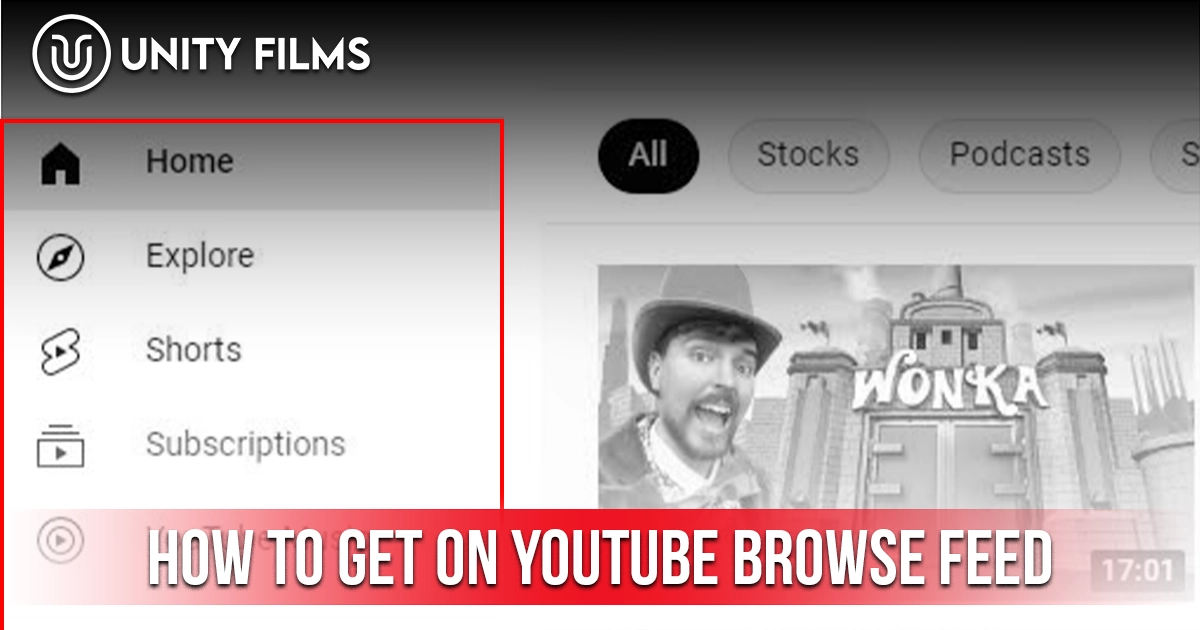
Most creators optimize for search and hope for the best on the homepage. That habit misses one of the biggest growth surfaces on YouTube entirely. The Browse feed — the personalized homepage viewers see when they open YouTube drives a large share of platform views and operates on a different logic than search does. Learning how to get on YouTube browse feed is the difference between a channel that grows through active search discovery and one that compounds through passive homepage recommendations.
The Browse feed has shifted meaningfully in recent years. YouTube has moved recommendations away from broad topic categories and toward more granular viewer behavior patterns — matching content to specific clusters of viewers based on what they actually watch together, not just the general interests they list. This shift has made niche content more discoverable for small channels, while generic-topic optimization has become far less effective.
Across channels we’ve worked on, the difference between videos that pull steady homepage traffic and videos that only get search views usually comes down to two decisions: how tightly the video fits an identifiable viewer cluster, and how strongly it extends a session beyond a single upload. This guide walks through what the Browse feed actually is, why it matters more than search for most channels, the 10 strategies that consistently get videos surfaced there, and the contrarian truth most guides skip.
What Is the YouTube Browse Feed?
The Browse feed is YouTube’s personalized homepage the collection of video thumbnails you see when you open youtube.com or the mobile app. According to YouTube’s own Recommendation System documentation, the system primarily examines a viewer’s watch history (what they choose to watch, ignore, or dismiss) and their interest affinity, and treats positive viewer interactions likes, shares, comments as a strong signal for what to recommend next.
In practical terms, the Browse feed is different from every other discovery surface on YouTube:
| Surface | How It Works | Best For |
|---|---|---|
| Browse (Homepage) | Predicts what a viewer will want to watch, before they search | Broad reach + viral growth |
| Suggested (Sidebar) | Recommends what to watch next based on the current video | Session extension |
| Search | Matches videos to typed queries | Long-tail evergreen traffic |
| Shorts Feed | Swipe-based feed with retention signals | Discovery + new audiences |
| Subscriptions | Shows recent uploads from subscribed channels | Loyal viewer retention |
Browse traffic is the most valuable of these because it’s unprompted. A viewer didn’t search for you, didn’t already know your channel the algorithm surfaced you because it predicted you’d hold their attention. That’s a strong signal of channel-market fit.
Why the Browse Feed Matters More Than Search for Most Channels
Search feels intuitive to creators because it maps to how they think someone types a keyword, you rank for it, you get a view. Browse feels mysterious because there’s no query to optimize against. But for most channels, Browse carries more weight.
Two structural reasons Browse matters so much:
- Compounding. A video that gets Browse distribution keeps getting it for weeks or months, as long as it satisfies test audiences. A search video gets impressions largely tied to fixed search volume.
- Discovery scale. Browse can push your video to viewers who never searched anything remotely related to your topic. Search never can.
Honestly, the exact split between Browse and Search traffic varies enormously by niche, upload cadence, and library depth YouTube doesn’t publish a universal percentage. What’s consistent is direction: for creators building long-term compounding channels, Browse is usually the surface that matters most. You can check your own channel’s actual traffic source breakdown in YouTube Studio under Analytics → Reach.
How YouTube’s Recommendation System Has Evolved
Several confirmed shifts have changed how the Browse feed selects videos in recent years:
- Personalization has gotten more granular. Instead of recommending based on broad interests alone (“cooking,” “personal finance”), the system increasingly groups viewers by specific behavioral patterns. Two viewers who both like “productivity” content may see different videos because their finer-grained viewing habits differ.
- Satisfaction signals carry real weight. According to YouTube’s own recommendation documentation, viewer surveys and post-watch behavior feed directly into what gets recommended, alongside watch history and engagement signals.
- Session contribution matters. How much your video helps extend a viewer’s overall YouTube session is a meaningful part of the system, which is why YouTube’s own guidance recommends using playlists, series, and end screens to help viewers discover more content.
- Small channels aren’t structurally excluded. YouTube has stated that new videos are tested against small audiences regardless of channel size, meaning a video from a new or small channel can still be surfaced if it performs well in that initial test.
For creators, the practical takeaway is the same regardless of the exact mechanics: niche clarity and cluster fit matter more than ever, because a vaguely-targeted channel gives the system less to work with.
The 10 Strategies for How to Get on YouTube Browse Feed
These are the moves that consistently get videos surfaced on the homepage in 2026. None of them are gimmicks. All of them compound when applied together.
According to insights from YouTube’s Creator Liaison team via Buffer’s algorithm analysis, the algorithm looks at “satisfaction” how viewers feel about the time they spent watching not just what they clicked or how long they stayed. Every strategy below feeds either satisfaction directly or cluster clarity indirectly.
1. Design for One Specific Viewer Cluster, Not a Broad Topic
The single biggest shift in 2026. Making a “personal finance video” no longer works because the algorithm doesn’t distribute by topic it distributes by behavioral cluster. Making a video for “people who watch 15-minute finance deep dives on Sunday mornings while drinking coffee” works, because that’s an actual cluster the algorithm can identify.
Ask yourself: who specifically watches this video, in what context, right before what other video? The clearer your answer, the easier the algorithm can find your audience.
2. Extend Sessions With Playlists and Series Formats
Session contribution is now the leading Browse ranking signal. Videos that extend YouTube sessions either by keeping the viewer watching multiple videos or by leading them to related content get pushed harder than isolated one-off uploads.
Build playlists around viewer journeys, not just topics. “How to fix your dishwasher” should sit next to “Best dishwasher parts” and “How to avoid dishwasher problems.” Even better: use “Part 1 of 4” labeling on series content, which lifts series completion rates because viewers commit to the arc.
3. Nail the First 30 Seconds of Retention
Browse test audiences are tiny 500-2,000 viewers on average. If retention in the first 30 seconds is weak, the algorithm stops testing and moves on. If it’s strong, distribution scales.
Cut intros to under 10 seconds. Use the pattern: result first, then promise, then process. Save the branding, the logo animation, and the “welcome back” for after you’ve earned the attention. Our full breakdown in how to write a YouTube script covers the hook framework that consistently earns the first 30 seconds.
4. Optimize the Title-Thumbnail Pair for a Specific Cluster
Titles and thumbnails on Browse aren’t fighting search competitors — they’re fighting other homepage recommendations for the same viewer’s attention. Design them for the person the algorithm has identified as your target, not for a generic topic viewer.
A finance video shown to someone in the “beginner side-hustle” cluster needs different packaging than the same video shown to the “wealth management professional” cluster. Our guides on how to make a YouTube thumbnail and how to write a YouTube title that gets clicks cover the visual and copy frameworks that make this cluster-matching work.
5. Feed the Satisfaction Signal Directly
YouTube’s 1-5 star satisfaction surveys now carry more weight than raw watch time in the Browse ranking algorithm. This is a fundamental shift from years past, and most creators are still optimizing for the wrong signal.
You can’t directly influence satisfaction scores, but you can design for them. Videos that deliver on the thumbnail promise, end with a clear payoff, and leave viewers feeling like their time was well-spent consistently earn higher satisfaction ratings. This is why title-thumbnail-content alignment matters more than ever.
6. Build a Tight Niche the Algorithm Can Categorize
If your channel zigzags across topics a cooking video, then a travel video, then a tech review the Browse algorithm can’t figure out which viewer clusters to test your content against. Niche clarity is now a distribution advantage, not just a branding one.
The rule: 80% of your uploads should reinforce the same topical cluster. The other 20% can experiment, but not until you’ve established the base cluster clearly enough for the algorithm to categorize your channel confidently.
7. Use Shorts as a Browse Feed Funnel
The 2026 change that Shorts watch history now feeds long-form Browse recommendations opens a specific opportunity. Well-crafted Shorts that tease or summarize long-form content can drive Browse traffic to your main uploads even from viewers who never subscribed.
Design Shorts around the same viewer cluster as your long-form. Random Shorts unrelated to your main content pull audiences that never convert. Our guide on how to make YouTube Shorts go viral covers the funnel design that turns Shorts distribution into long-form Browse impressions.
8. Track the Traffic Source Breakdown Every Week
Open YouTube Studio, click Analytics, then Traffic Sources. This tells you exactly how much of your traffic comes from Browse vs Search vs Suggested. If Browse is under 40% of your total views, you have specific work to do.
Diagnose which videos pull Browse impressions and which don’t. Patterns will emerge usually around video length, topic tightness, or thumbnail packaging. Our YouTube channel stats guide walks through the full metrics framework that pairs with traffic source analysis.
9. Publish Consistently Enough to Build a Track Record
The Browse algorithm rewards channels with predictable output because it makes distribution decisions easier. A channel uploading 3 videos a month gives the algorithm 3 data points per month to work with. A channel uploading 3 per week gives it 12. More data = better predictions = more distribution.
For most creators, weekly long-form uploads plus 3-5 Shorts per week is the sustainable cadence that produces enough data without burning out.
10. Optimize for Impressions First, Views Second
Browse distribution shows up in Analytics as impressions the number of times your thumbnail appeared on someone’s homepage or suggested feed. Low impressions = the algorithm isn’t testing your videos enough. Low CTR on high impressions = the algorithm is testing but viewers aren’t clicking.
If impressions are the bottleneck, work on niche clarity, topic tightness, and cluster fit. If CTR is the bottleneck, work on the title-thumbnail pair. The YouTube impressions breakdown covers exactly how to diagnose which lever is holding back your Browse distribution.
Common Mistakes That Kill Browse Feed Distribution
A few errors quietly stall Browse traffic. Watch for these:
- Chasing broad topics. Making a “gaming video” is too vague for the cluster-based algorithm. Make a video for a specific gaming sub-cluster.
- Ignoring session contribution. Publishing standalone videos with no clear next-video path fails the leading Browse ranking signal.
- Weak first 30 seconds. Browse test audiences bail fast. Slow intros kill distribution before it starts.
- Ignoring satisfaction signals. Delivering less than the thumbnail promises tanks satisfaction ratings and cuts distribution.
- Topic drift. Zigzagging between unrelated topics prevents the algorithm from categorizing your channel.
- Optimizing purely for search. Search-optimized titles often underperform on Browse because they compete against completely different videos there.
The most fixable single mistake is unclear niche positioning. Two consecutive uploads in tightly related sub-clusters teach the algorithm more than 20 uploads across unrelated topics.
The Contrarian Truth About Getting on the Browse Feed
Most algorithm guides frame Browse distribution as something you unlock through tactics. It isn’t.
Browse distribution is a side effect of channel clarity, not a metric to optimize directly. The moment you start chasing Browse specifically copying viral thumbnails, mimicking trending topics — cluster fit breaks down and the algorithm slows distribution because it can’t identify which viewers you’re actually for.
The honest hierarchy of what drives Browse distribution:
- 50% comes from niche clarity and cluster fit. Can the algorithm identify who your videos are for?
- 25% comes from packaging — title-thumbnail pair matched to the identified cluster.
- 15% comes from session contribution — playlists, series, and internal linking that extend viewer sessions.
- 10% comes from consistency and upload cadence.
Probably more important than any tactical lever is picking topics that match a specific viewer cluster you can serve consistently. A creator who makes 30 videos for “beginner indoor gardeners in apartments” gets Browse distribution faster than a creator who makes 30 random gardening videos across every skill level.
Most beginners obsess over the perfect thumbnail or the trending topic. Smart creators obsess over cluster clarity becoming the obvious choice for a specific type of viewer, not the vague option for many types. The first produces occasional viral hits and long stall periods. The second produces steady Browse distribution and compounding growth.
Frequently Asked Questions
How do I get my videos on the YouTube homepage?
Your videos appear on the YouTube homepage (Browse feed) when the algorithm predicts a specific viewer will want to watch them. In 2026, this depends on matching a viewer’s watch history cluster, having strong satisfaction ratings, contributing to session watch time, and packaging your video for the specific viewer type the algorithm has identified.
What is the YouTube Browse feed algorithm?
The Browse feed algorithm is YouTube’s personalization system for the homepage. It uses watch history clusters, subscription activity, and predicted satisfaction to recommend videos to individual viewers before they search. In February 2026, YouTube shifted from broad topic categories to specific behavioral clusters, making niche content more discoverable.
How much traffic comes from the YouTube Browse feed?
Homepage recommendations drive roughly 70% of total YouTube views across the platform. Individual channel breakdowns vary significantly, but for most channels Browse is the largest single traffic source, often exceeding search by 5-10x.
Do small channels get on the Browse feed?
Yes. As of 2026, YouTube actively surfaces small channels through watch history clusters. A zero-subscriber channel can appear in Browse recommendations if the video performs well with initial test audiences. Subscriber count is one of hundreds of signals, and not a strong one.
Why isn’t my video appearing on the Browse feed?
The most common reasons are unclear niche positioning (the algorithm can’t identify which cluster your video serves), weak first 30 seconds of retention, poor title-thumbnail packaging for the target cluster, or inconsistent upload cadence that hasn’t given the algorithm enough data to categorize your channel.
Also Read: How to Write a YouTube Title That Gets Clicks: 7 Proven Formulas for High CTR in 2026
Final Thoughts
How to get on YouTube browse feed in 2026 isn’t about tricking the algorithm. It’s about becoming the obvious choice for a specific type of viewer, then producing consistently enough for the algorithm to build confidence in distributing you.
The shift is psychological. Stop trying to make videos “for YouTube.” Start making videos for a specific viewer cluster you can identify by name, context, and behavior. Ten focused uploads teach the algorithm more than thirty unfocused ones.
So pick your next upload and answer one question before filming: which specific viewer cluster is this for, and what other videos are they likely watching this week? That single answer should shape your topic, script, thumbnail, and title. Or if you’d rather hand the whole discovery, packaging, and channel growth process off, Unity Films YouTube Management Services covers Browse optimization, cluster targeting, and full-stack channel strategy end to end so you can focus on making videos worth surfacing.