
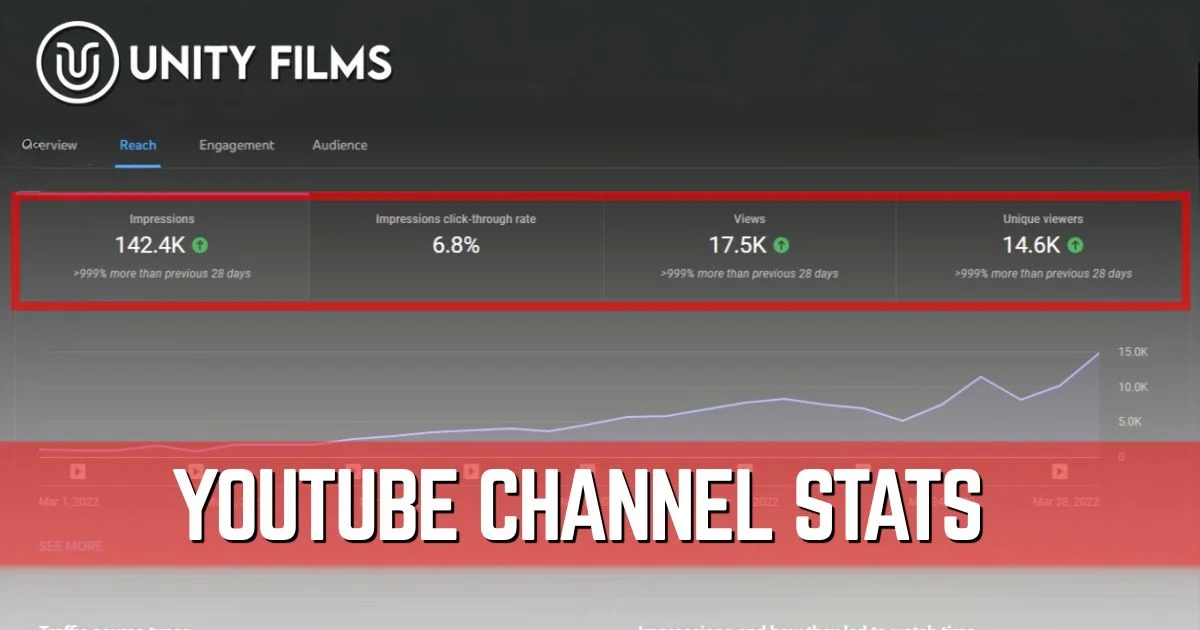
Most creators check their YouTube channel stats the same way people check their bank balance after a stressful week. Quick glance, hope for the best, close the tab. That habit is exactly why most channels stall.
The numbers in YouTube Studio aren’t decoration. They’re the only honest feedback you get about whether the algorithm trusts your channel, whether viewers actually like what you make, and which videos deserve more of your time next month. Read them wrong and you’ll spend a year fixing the wrong problems.
Across channels we’ve worked on, the gap between creators who grow and creators who plateau usually shows up in their analytics habits long before it shows up in their subscriber count. The growers check the same five stats every week and adjust.
This guide breaks down which YouTube channel stats actually matter in 2026, which ones are vanity metrics dressed up as growth signals, how to find each one in YouTube Studio, and the contrarian truth about analytics most guides won’t tell you.
Why YouTube Channel Stats Matter More in 2026
The platform has gotten louder, not quieter. According to Statista’s YouTube data, over 500 hours of video are uploaded to YouTube every minute, and the channels rising above that noise aren’t the ones grinding harder. They’re the ones reading their data correctly.
The 2026 algorithm is also smarter. YouTube has rolled out intention-segmented retention modeling, which detects why viewers leave rather than just when. Relevance-adjusted watch time now weighs how well your video matches the viewer’s search intent. YouTube’s own Creator Academy confirms that creators who regularly review their analytics make significantly more informed content decisions than those who don’t. Your channel stats are the only window into how the algorithm sees you.
Three reasons your stats deserve real attention:
- They predict the next 90 days. Recent CTR and retention trends signal whether YouTube is about to push you harder or pull you back.
- They expose hidden winners. Old videos with strong retention but low impressions are usually one thumbnail swap away from a second wave.
- They reveal real audience intent. Comments lie. Click patterns don’t.
A quick reality check before the metrics list. Honestly, the data on which 2026 algorithm signals carry the most weight is still messier than YouTube’s documentation makes it sound. What’s clear is that watch time and CTR remain the two pillars, and everything else either feeds them or matters at the margins.
The 10 YouTube Channel Stats That Actually Matter
Skip the rest. These ten metrics give you 95% of the insight you need to make confident channel decisions.
1. Click-Through Rate (CTR)
CTR is the percentage of impressions that turn into clicks. It’s the single most important “first impression” metric on the platform, because if viewers don’t click, nothing else in your analytics matters. According to YouTube’s official Help documentation, average CTR ranges from 2% to 10% across most channels, with significant variation by niche and how videos are surfaced.
Where to find it: YouTube Studio → Analytics → Content tab Healthy range: 4–10% for most channels, higher for smaller niche channels
A drop in CTR usually means your thumbnail or title combo stopped stopping the scroll. Our YouTube SEO checklist covers the exact packaging fixes that lift this number fastest.
2. Average View Duration (AVD)
AVD is how long, in minutes and seconds, the average viewer watches before leaving. Pair it with average percentage viewed to see retention as a percentage of total length. Google’s support documentation notes that retention is one of the strongest signals the algorithm uses to decide which videos to recommend further.
Where to find it: Analytics → Engagement tab Healthy range: 40–60% of total video length for most niches
AVD is what the algorithm uses to decide if your video deserves more impressions. A high CTR with low AVD is the worst combo on YouTube. Viewers clicked, you let them down, and the algorithm punishes that harder than a low CTR alone.
3. Watch Time
Watch time is total minutes watched across all viewers. It’s the most heavily weighted ranking signal on the platform, and it’s also one of the main eligibility metrics for the YouTube Partner Program at 4,000 hours per year.
Where to find it: Analytics → Overview Why it matters: Long-term channel growth and ad revenue both scale with watch time
4. Impressions
Impressions count how often your thumbnail was visible to a viewer for at least 1.5 seconds (the threshold YouTube updated in February 2026). It’s the size of the audience YouTube is testing you on.
If impressions drop suddenly, the algorithm isn’t broken. It’s responding to weaker CTR or retention on your recent uploads. We covered the full diagnosis in our breakdown of YouTube impressions.
5. Subscribers Gained (and Lost)
Raw subscriber count is a vanity metric. Subscribers gained per video is the real one. It tells you which videos actually convert casual viewers into long-term audience.
Where to find it: Analytics → Audience tab → Subscribers
Equally important: subscribers lost. Spikes in unsubscribes usually mean a recent video drifted off-niche or felt like a bait-and-switch.
6. Unique Viewers
Unique Viewers is the estimated count of distinct individuals who watched your content, regardless of repeat views or subscription status. It’s the cleanest reach metric you have.
Where to find it: Audience tab
YouTube also shows Views per Unique Viewer next to it, which tells you how many times the average person watched your stuff. High Views per Unique Viewer is a strong sign of a sticky channel.
7. Traffic Sources
This breakdown shows where your views come from: search, suggested videos, browse features, external sites, playlists, channel pages.
Where to find it: Analytics → Reach tab → Traffic source types
A channel relying entirely on search is fragile. A channel pulling traffic from suggested videos and browse is in the algorithm’s good books. Our end screen strategy guide shows how to grow suggested traffic specifically.
8. Engagement Metrics (Likes, Comments, Shares)
These show how strongly viewers feel after watching. Comments are the most valuable because they require effort, and shares are the strongest organic-growth signal because they expand reach beyond YouTube.
A common mistake is chasing likes. Likes correlate with satisfaction but barely move the algorithm directly. Comments and shares do.
9. New vs Returning Viewers
This ratio tells you whether you’re building an audience or just pulling in strangers. A healthy channel has both, with returning viewers growing faster than new ones over time.
Where to find it: Audience tab
YouTube also segments audiences into casual, regular, and most engaged viewers. The most engaged segment is where your real channel value lives.
10. Revenue Metrics: RPM, CPM, and Monetized Playbacks
If your channel is monetized, RPM (revenue per 1,000 views) is the one number that matters for income planning. CPM tells you what advertisers pay; RPM tells you what you actually keep after YouTube’s cut and unmonetized views.
Where to find it: Analytics → Revenue tab
Use RPM to spot which content types pay best. Sometimes the lowest-view video on your channel earns more per viewer than the viral hit.
YouTube Channel Stats: At-a-Glance Reference Table
Use this as your quick reference whenever you open Studio:
| Metric | Where to Find | Healthy Range | What It Signals |
|---|---|---|---|
| CTR | Analytics → Content | 4–10% | Thumbnail/title strength |
| Average View Duration | Engagement tab | 40–60% of length | Hook quality, retention |
| Watch Time | Overview | More is better | Long-term ranking |
| Impressions | Reach tab | Varies by channel size | Algorithm distribution |
| Subscribers Gained | Audience tab | Per-video positive | Conversion quality |
| Unique Viewers | Audience tab | Higher than views/2 ideally | True reach |
| Traffic Sources | Reach tab | Diverse mix preferred | Algorithm trust |
| Engagement | Engagement tab | 2–5% engagement rate | Audience strength |
| New vs Returning | Audience tab | Returning growing | Loyalty trend |
| RPM | Revenue tab | $1–$15+ varies by niche | Monetization health |
How to Check Your YouTube Channel Stats (Step by Step)
The data is free, sitting inside YouTube Studio. Most creators never venture past the dashboard, which is where most insights actually live deeper.
From desktop:
- Step 1: Sign in to YouTube Studio at studio.youtube.com.
- Step 2: Click Analytics in the left menu.
- Step 3: Use the tabs: Overview, Content, Audience, Inspiration, Trends, Revenue.
- Step 4: Click Advanced mode in the top-right for deeper filtering and historical comparisons.
- Step 5: Compare time periods to spot trends, not just snapshots.
From mobile, the YouTube Studio app is a separate download from the regular YouTube app. Tap Analytics at the bottom for a stripped-down version of the same dashboards.
How to Check Another Channel’s Stats
You can’t see another creator’s private analytics, but you can see plenty publicly. Social Blade is the most popular third-party site that pulls publicly available YouTube data and shows growth trends, estimated earnings, and historical subscriber graphs for almost any channel.
It’s useful for competitor research and reality-checking your own progress. The earnings estimates are rough at best (Social Blade can’t see your real RPM), so treat the dollar numbers as ballpark.
I’m not 100% convinced public stat trackers are as accurate as they claim for smaller channels, since YouTube rounds subscriber counts over 1,000. But for trend direction, they’re solid enough.
YouTube Channel Stats Benchmarks by Channel Size
What counts as “good” depends entirely on channel size and niche. The same number that’s normal for a small channel is alarming for a larger one.
| Channel Size | Healthy CTR | Healthy AVD % | Monthly Views |
|---|---|---|---|
| Under 1,000 subs | 6–10% | 45–60% | 500–5,000 |
| 1,000–10,000 subs | 5–8% | 40–55% | 5,000–50,000 |
| 10,000–100,000 subs | 4–6% | 35–50% | 50,000–500,000 |
| 100,000+ subs | 3–5% | 30–45% | 500,000+ |
CTR and AVD both naturally decline as channels grow because the algorithm pushes content to broader audiences. A drop from 8% CTR to 4% over a year of growth isn’t failure. It’s a sign your reach expanded.
The Contrarian Truth About YouTube Channel Stats
This is where most analytics guides get it wrong. They list 15 metrics with equal weight, leaving creators staring at a dashboard nobody knows how to act on.
The honest hierarchy is far simpler:
- 80% of your decisions should come from CTR and AVD. These two predict whether the algorithm will reward your next upload.
- 15% from traffic sources and subscribers gained per video. These tell you what’s actually building the channel.
- 5% from everything else combined. Likes, total subscribers, and revenue dashboards matter, but they’re outputs, not inputs.
Probably more important than tracking 15 stats is checking the right 2 every week. Most creators we’ve seen plateau aren’t missing data. They’re drowning in it.
Most beginners stare at subscriber count. Smart creators stare at CTR and AVD. Subscriber growth is a result; CTR and AVD are levers. You can pull levers. You can’t pull results.
Frequently Asked Questions
What are the most important YouTube channel stats to track?
Click-through rate (CTR) and average view duration (AVD) are the two most important. They directly predict whether the algorithm will continue pushing your content. Watch time, impressions, and subscribers gained per video are the next tier.
How do I see my YouTube channel statistics?
Sign in to YouTube Studio at studio.youtube.com, click Analytics in the left menu, and explore the Overview, Content, Audience, and Revenue tabs. For deeper filtering, click Advanced mode in the top-right corner.
Can I check another YouTube channel’s stats?
Yes, but only publicly available data. Third-party tools like Social Blade show subscriber counts, view trends, and rough earnings estimates for almost any channel. Private analytics like CTR or retention require channel access.
What is a good CTR for a YouTube channel?
A healthy CTR for most channels sits between 4% and 10%, with smaller niche channels often seeing higher numbers and larger channels naturally trending lower as reach expands. Under 3% usually means thumbnail and title need work.
Why are my YouTube channel stats suddenly dropping?
The most common cause is weaker CTR or AVD on recent uploads, which signals the algorithm to slow distribution. Other causes include topic drift, long gaps between uploads, or YouTube algorithm updates. Diagnose by checking which specific metric dropped first.
Also Read: YouTube Super Chat: How It Works and How to Actually Earn From It in 2026
Final Thoughts
YouTube channel stats aren’t decoration on a dashboard. They’re the only honest feedback loop you’ll ever get from a platform that doesn’t take phone calls.
The shift is psychological. Stop checking your stats hoping for good news. Start checking them like a coach reviewing game tape. Every drop is feedback. Every spike points at something worth doing more of.
So pick two metrics this week: CTR and AVD. Track them across your last five uploads, find the worst performer, and decide one thing you’ll change on the next video. Or if you’d rather hand the whole analytics and growth strategy off, Unity Films YouTube Management Services covers channel optimization end to end so you can focus on making the videos.