
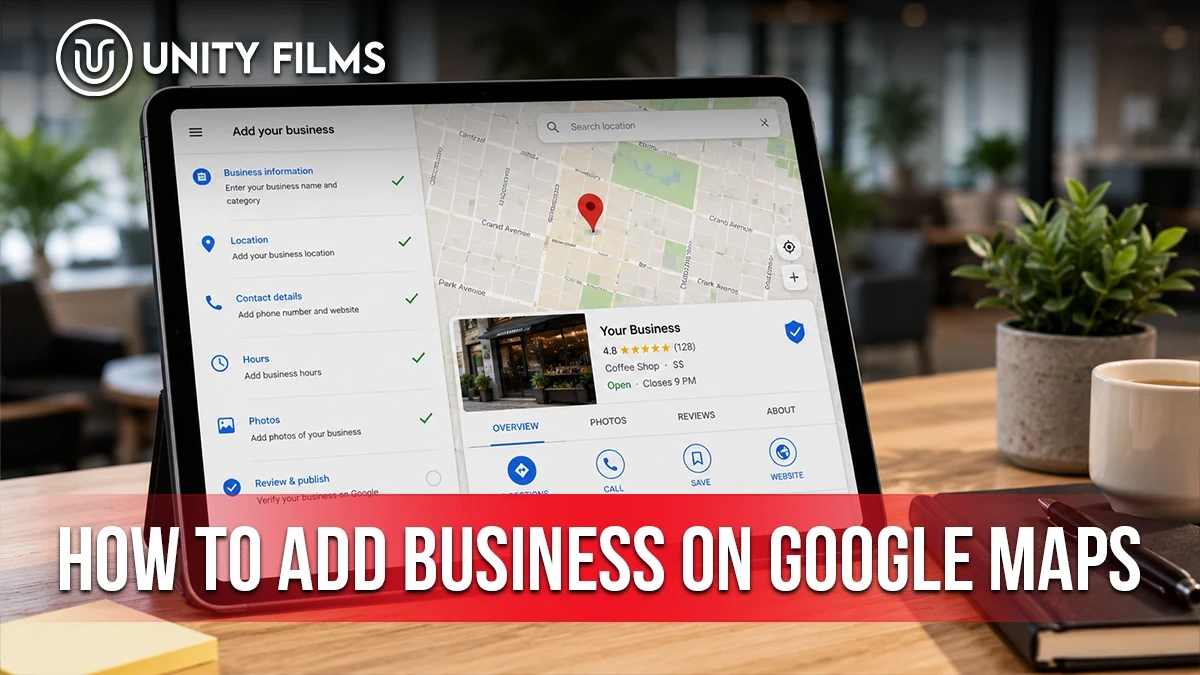
Someone in your city right now is typing “dentist near me,” “biryani home delivery,” or “salon in Bahria Town” into Google. Their phone shows them a list of nearby options with maps, reviews, and click-to-call buttons.
If your business is not on that map, you are invisible to that customer. It does not matter how good your service is. They found someone else in 6 seconds. Simple as that.
This is your complete Pakistan-specific playbook on how to add business on Google Maps in 2026. Setup steps. Address format quirks that trip up Pakistani businesses. Video verification tips. Category selection for common local businesses. And the Ramadan hours toggle almost everyone forgets.
Written for how Google Maps actually behaves for a business in Karachi, Lahore, Islamabad, Rawalpindi, Peshawar, or anywhere else in Pakistan.
What Google Business Profile Actually Is
Google Business Profile (formerly Google My Business) is the free listing that puts your business on Google Maps. It also places you in the local “3-pack” that appears above regular search results. Direct control from Google Search itself in 2026. No separate dashboard needed for most edits.
Setup once, verify, and your business becomes findable when someone searches your service in your city. Free forever. Simple as that.
Understanding how to add business on Google Maps is one of 12 items in our on-page SEO checklist. Local optimization sits inside the broader on-page picture. It also connects with meta description length which controls how your listing snippet appears in Google.
Why Google Maps Matters for Every Pakistani Business
Nearly every Pakistani search on mobile that has commercial intent surfaces map results at the top. “Dentist near me.” “Car wash Gulberg.” “Furniture shop Multan.” All show map listings before regular website results.
According to industry data from Search Engine Journal’s local SEO research, most local business impressions on Google come from category-based searches like “near me.” Not from branded searches.
Most Pakistani customers do not know your business name yet. They search for the service. Whoever shows up on the map gets the click, the call, and the visit.
A restaurant in F-7 Islamabad missing from Maps loses to a similar restaurant three blocks away that claimed its listing. Same food. Same prices. Different visibility.
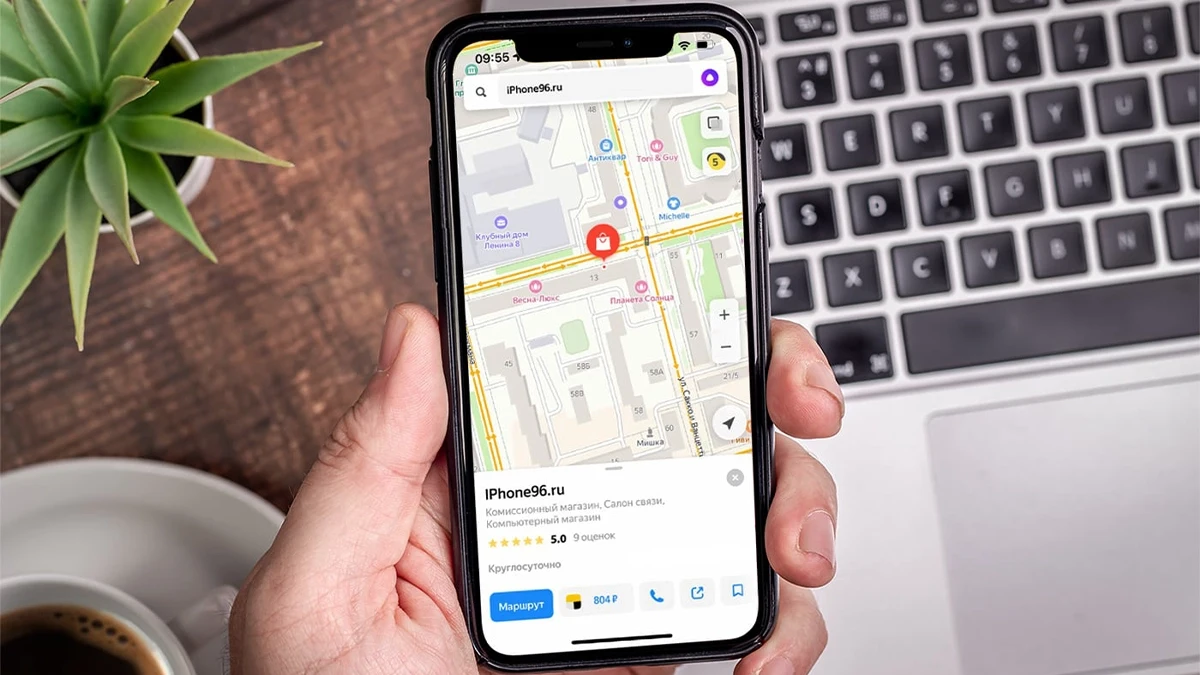
Real-world example. A boutique in Bahria Town Phase 4 Rawalpindi added their business on Google Maps in February 2025. Zero photos initially. No reviews. Just a basic listing. In 4 months they added 32 photos, generated 25 reviews through WhatsApp asks, and posted weekly Ramadan and Eid updates. Result: 15 walk-in customers per week now come directly from Google Maps searches. No ad spend needed.
How to Add Business on Google Maps: Step by Step
Here is the actual 2026 process for how to add business on Google Maps. Takes about 15 minutes.
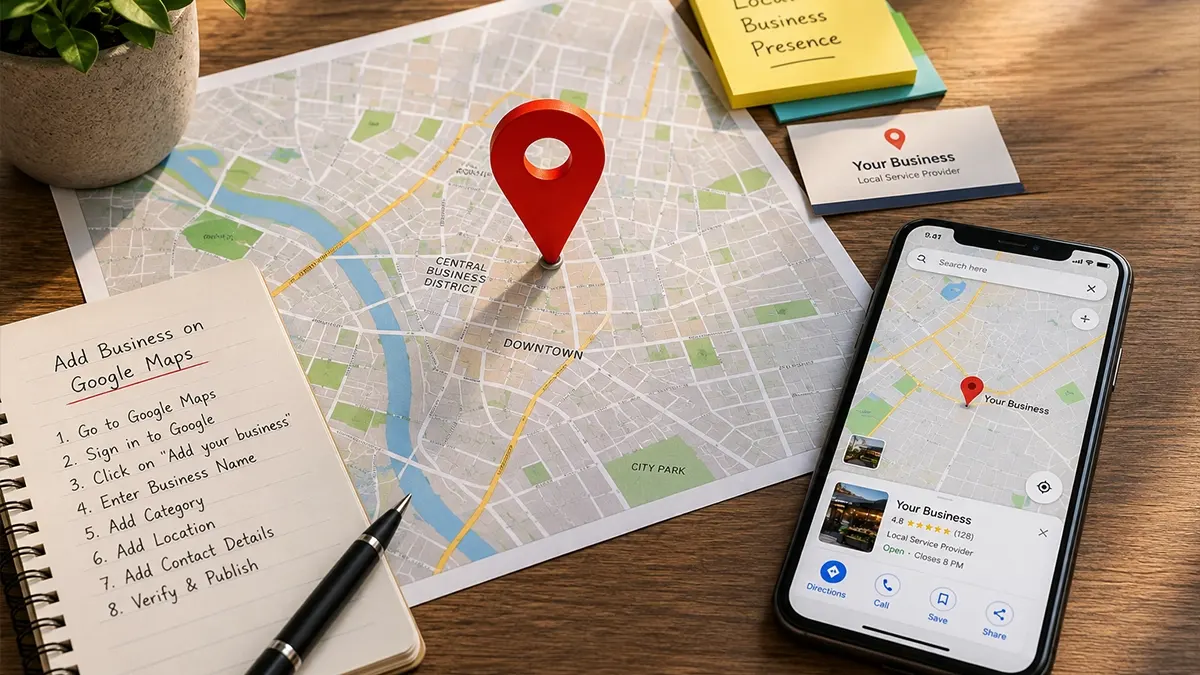
Step 1: Go to Google Business Profile. Open Google Business support for the official setup path and sign in with your Google account. Use a business email if possible.
Step 2: Enter your business name. Type it exactly as you use it publicly. No extra keywords. “Rehman Furnitures” not “Rehman Furnitures Best Cheap Sofa Shop Lahore.”
Step 3: Choose your business type. Local storefront (customers visit you), service area business (you visit them), or online-only. Pick honestly. Wrong choice causes problems later.
Step 4: Enter your address or service area. For a shop, enter the full street address. For a plumber, electrician, or mobile service business, list the areas you serve without a public address.
Step 5: Pick your primary category. This is the most important ranking decision you make. Skip ahead to the category section below before finalizing.
Step 6: Add phone number and website. WhatsApp Business number works fine and is often more useful than a landline for Pakistani customers.
Step 7: Pick a verification method. In 2026, Google usually offers video verification for Pakistani businesses. Postcard verification still exists but is slow. Phone or email verification works for some eligible businesses.
Step 8: Wait for approval. Video verification takes 3 to 5 business days. Postcard can take 14 to 21 days in Pakistan given local mail speed. Instant verification is available if your Google Search Console-verified website matches your business.
Once approved, your business appears on Maps. From there the real work begins: photos, posts, reviews, and updates.
Pakistan Address Format: What Actually Works on Google Maps
This is where most Pakistani businesses fail on their first attempt.
Google Maps was built with Western address formats in mind. Pakistani addresses often have block names, phase numbers, sector codes, and unnamed lanes that confuse the system.
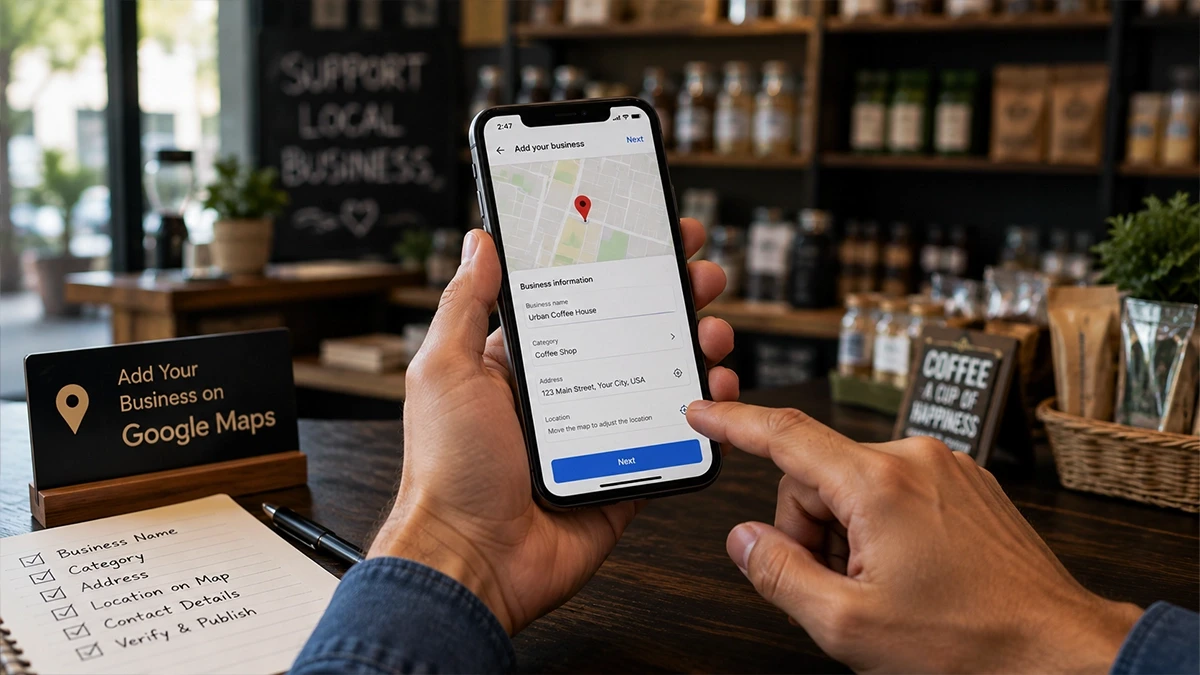
Rules that work for us.
- DHA and Bahria Town addresses. Format as “House 47, Street 12, Phase 8, Bahria Town Rawalpindi, 46000.” Full sequence. Do not skip the postal code.
- Islamabad F/G/H sector addresses. Format as “Shop 15, F-8 Markaz, Islamabad, 44000.” Include Markaz or the sub-sector.
- Karachi block addresses. Format as “Plot 22-C, Block 6, PECHS, Karachi, 75400.” Block and phase both matter.
- Lahore area addresses. Format as “10 MM Alam Road, Gulberg III, Lahore, 54000.”
- Traditional bazaar addresses (Raja Bazaar, Anarkali, Saddar). Use nearest landmark: “Near Committee Chowk, Saddar, Rawalpindi, 46000.”
If Google cannot auto-locate your address, it will show a red pin. Drag it manually to your exact spot. That manual pin often ranks better than a fuzzy auto-detected one.
Choosing the Right Category for Common Pakistani Businesses
Category is your single biggest local ranking lever. Wrong category means invisibility even after verification.
Common Pakistani business types and the correct primary category to pick.
- Boutique or clothing shop: “Women’s clothing store” or “Men’s clothing store” (never just “Boutique”)
- Dhaba or local restaurant: “Pakistani restaurant” or “Halal restaurant”
- Beauty salon: “Beauty salon” or “Hair salon” (choose based on primary service)
- Barber shop: “Barber shop” (not “Salon”)
- Tuition center or academy: “Educational institution” or “Coaching center”
- Hair transplant clinic: “Hair transplantation clinic” (very specific, high-intent)
- Dispensary or medical store: “Pharmacy” (not “Medical store”)
- Real estate office: “Real estate agency” (not “Property dealer”)
- Wedding photographer: “Wedding photographer” (specific beats generic “Photographer”)
- Furniture shop: “Furniture store” (specific to storefront, not workshop)
You can add up to 9 secondary categories. Use them. A salon should add “Facial spa,” “Waxing hair removal service,” “Bridal makeup” as secondaries.
Video Verification for Pakistani Businesses: What Actually to Shoot
Video verification is the most common method Google now uses for Pakistani businesses. Get this wrong and your verification fails. Sometimes twice. Before Google reviews it manually.
What Google actually wants to see in the video.
- Business signage from outside. Walk up to your storefront, capture the signboard clearly. Roman Urdu or English, both work. The name on the sign must match your listing.
- Street context. Pan the camera to show the surrounding shops or landmarks. Proves the business is at the address you claimed.
- Inside the workspace. Walk in and show the interior, counter, or work area for 15 to 30 seconds.
- Proof of management access. Show yourself using the till, opening a stock room, unlocking a back office, or handling business tools. Google needs to see you have real authority.
Duration: usually 30 to 90 seconds. Shoot in daylight. Steady the phone or use two hands.
For service area businesses (plumbers, electricians, movers, event planners) without a storefront: film your business vehicle with signage. Show your tool inventory. Show your home office setup. Any of these work.
How to Add Ramadan and Eid Hours to Your Google Business Profile
Almost no Pakistani business does this. And it directly costs them customers during the busiest weeks of the year.
Google lets you set special hours for specific dates. During Ramadan, most shift timings for sehri or iftar. During Eid, many close for 1 to 3 days. Your Google listing needs to reflect this.
How to update. Open your Google Business Profile from Google Search. Click “Edit hours.” Add “Special hours.” Enter dates plus timings. Ramadan sehri and iftar shifts. Eid closures. 14 August or 23 March if you close.
Customers checking your listing at 3 AM sehri time see accurate hours and know they can order. Customers checking on Eid see you are closed and do not waste a call. Both moments protect your reputation.
Also add posts through the “Add update” feature during major seasons. A boutique posting “Eid collection ready, WhatsApp orders open” as a Google Business post during pre-Eid weeks gets extra visibility in the Maps app.
For a full picture of how these seasonal posts fit into your broader marketing calendar, see our content marketing pillar.
Common Mistakes to Avoid When You Add Business on Google Maps
Six mistakes we see in every audit.
- Keyword-stuffing the business name. “Ahmed Furniture Best Sofa Shop in Cheap Rates Lahore” is a Google suspension in waiting. Use only the real business name.
- Using a fake or shared address. Some Pakistani businesses list a friend’s shop or their home to look local. Google’s video verification catches this fast now.
- Skipping video verification. Some owners refuse video verification and wait months for a postcard that may never arrive in Pakistan. Just do the video. It is faster.
- Not adding photos regularly. A profile with 3 photos looks abandoned. Add 15 to 30 initial photos and 2 to 3 new ones every month.
- Ignoring negative reviews. Every unanswered review is a lost potential customer. Reply publicly and professionally to all reviews, positive and negative.
- Forgetting the WhatsApp integration. Add your WhatsApp Business number as the primary contact. A boutique with a WhatsApp CTA like “Naya arrivals aa gaya, WhatsApp par order karein” in its Google Business description outperforms one with a landline every time. Pakistani customers click WhatsApp more than call or website.
Fix these six and your profile outperforms most Pakistani businesses in your category.
How Unity Films Helps With Google Maps and Local SEO
Google Business Profile setup is only the starting point. Real ranking comes from what happens next: weekly posts, review generation, photo refreshes, and category tuning that keeps your listing active.
Our SEO service handles full Google Business Profile setup for Pakistani businesses. We get you verified, optimize categories and photos, and build the review workflow that keeps your profile winning. We also fix the tricky cases: rejected verifications, suspended listings, and multi-location businesses across twin cities.
If your business is not on Google Maps yet, reach out to Unity Films. Or if the listing exists but never brings calls, we fix listings that others gave up on.
FAQs
Is adding my business to Google Maps really free?
Yes. Google Business Profile is completely free forever. No hidden fees, no subscription. What can cost you is hiring an agency to set it up and manage it properly, and that is optional. Knowing how to add business on Google Maps yourself keeps it truly free.
How long does verification take in Pakistan in 2026?
Video verification: 3 to 5 business days. Postcard verification (still available but slow in Pakistan): 14 to 21 days if the postcard arrives at all. Instant verification: same day if you have a Search Console-verified website matching your business.
Can I use Roman Urdu in my Google Business description?
Yes, but sparingly. Google’s search algorithms understand English best. Write your main description in English. Add one Roman Urdu phrase like “abhi WhatsApp karein” or “delivery poore Karachi mein” as a CTA at the end. Full Roman Urdu descriptions can rank lower.
What if my business is already on Google Maps but I did not add it?
Someone else added it, or Google added it automatically. Search for your business on Google Maps, click “Claim this business,” and follow the verification steps. Once verified, you become the official owner and can edit everything.
Final Thoughts
Adding your business on Google Maps is the single highest-ROI marketing action a Pakistani small business can take this month. Zero cost. Takes 15 minutes to set up. Brings customers who are actively searching for your service.
Get the address format right. Pick the correct category. Do the video verification properly. Add Ramadan hours before the season. Reply to every review.
Ready to get on Google Maps or fix your existing listing? Talk to Unity Films about a proper Google Business Profile setup built for Pakistani local search.