
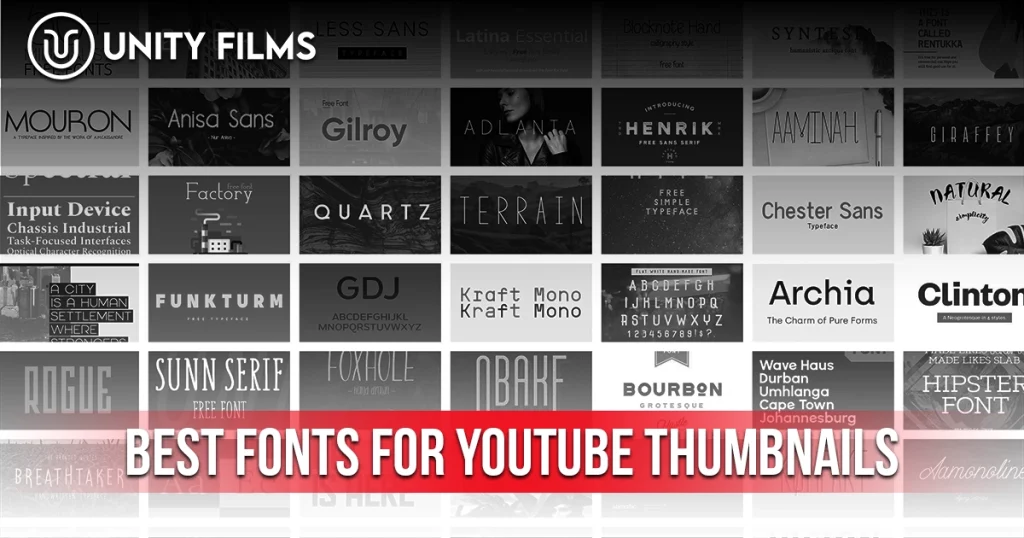
Most creators pick their thumbnail font the way they pick a Netflix show scroll for 30 seconds, click something familiar, move on. That habit is exactly why their text gets ignored at mobile size. The best fonts for YouTube thumbnails aren’t picked because they look nice on a laptop. They’re picked because they stay readable at 168 × 94 pixels on a phone, where over 70% of your viewers actually see them.
Font choice is a quiet lever most guides skip. Everyone talks about colors, faces, and composition. Almost nobody talks about typography, even though the wrong font can silently kill CTR on an otherwise strong thumbnail. A creator using Bebas Neue with a clear promise consistently beats a creator using a fancy display font with the same promise.
Across channels we’ve worked on, changing the thumbnail font while keeping everything else the same has moved CTR by 1-2 percentage points. That’s the difference between a video that plateaus and one that compounds. This guide covers the 10 best fonts for YouTube thumbnails in 2026, sorted by niche, plus the typography rules that decide whether any font actually works on your channel.
Why Font Choice Matters More Than Most Creators Realize
Your thumbnail has roughly 0.3 seconds to communicate at scroll speed. Text that isn’t instantly readable in that window doesn’t get read at all it becomes visual noise that lowers the whole thumbnail’s clarity. According to YouTube’s official documentation, 90% of the highest-performing videos use custom thumbnails, and the ones that work at that scale almost always share three typographic traits: bold weight, condensed or geometric structure, and high contrast against background.
With over 500 hours of video uploaded to YouTube every minute, viewers are scrolling past dozens of thumbnails every second. Font readability at mobile size decides whether they see your text or skip it entirely.
Three structural reasons font choice hits harder than it looks:
- Mobile is the default. Thumbnails render around 168 × 94 pixels on phones. Any font with thin strokes or complex serifs disappears at that size.
- Consistency compounds. Returning viewers recognize your channel through repeated visual patterns, and typography is one of the strongest.
- Font pairing signals professionalism. A clean bold display font plus a clean supporting font instantly reads as more credible than random typefaces per video.
Honestly, the data on exactly how much font choice moves CTR isn’t well-standardized it varies by niche, background complexity, and channel style. What’s consistent across studies is that switching from a thin or decorative font to a bold sans-serif almost always improves click-through rate. If you want the full picture of thumbnail design beyond typography, our guide on how to make a YouTube thumbnail walks through the complete framework.
What Makes a Good YouTube Thumbnail Font
Before the specific picks, the criteria. A great thumbnail font checks four boxes:
- Bold weight. Regular or Light weights don’t survive mobile compression. Look for Bold, ExtraBold, or Black weights.
- Sans-serif or condensed serif. Complex decorative fonts disappear at small sizes. Clean shapes win.
- Legible at 168 × 94 pixels. If you can’t read it at that resolution, no viewer on mobile can either.
- Matches your niche personality. Impact for high-energy content. Montserrat for polished lifestyle. Playfair Display for luxury.
The squint test remains the fastest quality check. Zoom your design out to 20% of full size, then squint. If the text still communicates clearly, the font works. If it becomes a blur, the font is wrong regardless of how “nice” it looks at 100% zoom.
The 10 Best Fonts for YouTube Thumbnails in 2026
These are the fonts that consistently appear across high-CTR channels in every major niche. Each pick includes a licensing note and niche recommendation.
| Font | Type | Best For | License |
|---|---|---|---|
| Bebas Neue | Condensed sans-serif (all-caps) | Gaming, lifestyle, tech, versatile | Free, commercial |
| Impact | Bold condensed sans-serif | Reactions, memes, action, viral | Free (system font) |
| Anton | Heavy condensed sans-serif | Fitness, sports, motivation | Free, Google Fonts |
| Montserrat ExtraBold | Geometric sans-serif | Business, education, lifestyle | Free, Google Fonts |
| Oswald | Condensed sans-serif | News, tutorials, educational | Free, Google Fonts |
| Poppins Bold | Geometric sans-serif | Family, kids, general vlogs | Free, Google Fonts |
| Roboto Bold | Neutral sans-serif | Tech, professional, tutorials | Free, Google Fonts |
| Playfair Display | Serif | Fashion, luxury, beauty | Free, Google Fonts |
| Bangers | Display (comic-style) | Entertainment, drama, kids | Free, Google Fonts |
| Archivo Black | Sans-serif | Business, finance, professional | Free, Google Fonts |
1. Bebas Neue — The Versatile Workhorse
Bebas Neue is probably the single most-used thumbnail font in 2026. It’s all-caps, condensed, and sleek enough to work in almost any niche. The tall, narrow letters mean you can fit more text without shrinking font size a genuine advantage on mobile.
Free on Google Fonts with commercial license. Works especially well for gaming, tech, lifestyle, and general vlog content. Its only weakness: because everyone uses it, it doesn’t create a distinctive typographic identity alone. Pair with strong color palette and consistent layout to make it yours.
2. Impact — The Classic Reaction Font
Impact is the original viral YouTube font. Thick, condensed, aggressive Impact grabs attention in a way most modern fonts can’t.
Pre-installed on virtually every operating system. Works best for reactions, memes, high-energy content, and emphatic single-word thumbnails (“EXPOSED,” “FINALLY,” “WHAT?!”). Its weakness in 2026 is overuse some audiences read Impact as slightly dated. For polished channels, skip it. For maximum stopping power, it still works.
3. Anton — The Heavy Hitter
Anton is thicker and blockier than Bebas Neue while sharing the same condensed structure. Extra weight and legibility without the meme-y feel of Impact.
Free on Google Fonts. Ideal for fitness, sports, motivation, and high-energy content. Numbers and short phrases like “DAY 30” or “$1,000 CHALLENGE” read especially well in Anton.
4. Montserrat ExtraBold — The Polished Standard
Montserrat is the go-to font for creators who want polished without generic. Its geometric sans-serif structure feels modern and credible, and the ExtraBold weight is heavy enough to work at mobile size.
Free on Google Fonts with 18 weights. Best for business, education, finance, lifestyle, and personal development content. Signals expertise without being loud.
5. Oswald — The News Anchor
Oswald is condensed, tall, and structured the visual equivalent of a professional newsroom. Works especially well for news, tutorial, and educational content.
Free on Google Fonts. Its condensed proportions let you fit longer phrases while maintaining legibility.
6. Poppins Bold — The Friendly Modern
Poppins Bold hits the sweet spot between geometric structure and warmth. Clean, modern, approachable perfect for family-friendly content and general vlog channels.
Free on Google Fonts. Best when you want to feel welcoming rather than intense.
7. Roboto Bold — The Neutral Standard
Roboto is YouTube’s own interface font, which makes it a safe pick for tech and educational content. Reads as clean, modern, and neutral.
Free on Google Fonts. Ideal for tech reviews, educational tutorials, and any content where you want the font to disappear and let the message land.
8. Playfair Display — The Luxury Serif
Playfair Display is the exception to the “avoid serifs” rule. Its high-contrast letterforms and tall structure make it readable at thumbnail size when used at Bold weight, and its serif elegance signals premium content instantly.
Free on Google Fonts. Best for fashion, luxury, beauty, wedding, and book review content. Never use Playfair for reactions or high-energy content the elegance fights the tone.
9. Bangers — The Comic Book Energy
Bangers is a bold display font inspired by comic book lettering. Tall, wide, high-impact brings drama and energy without looking cartoonish, as long as you use it sparingly.
Free on Google Fonts. Works best for entertainment, storytelling, drama, and kids’ content. Stick to one or two words maximum.
10. Archivo Black — The Business Weight
Archivo Black is what you use when you want serious, business-first typography without going full corporate. Thick, structured, authoritative ideal for finance, business analysis, and professional content.
Free on Google Fonts. Pair with a clean secondary font for supporting text on data-heavy thumbnails.
Font Pairing Rules That Actually Work
Most thumbnails only need one font. When you need two usually for a primary headline plus a small secondary tag pair them with intentional contrast.
Three pairing rules that consistently work:
- Contrast weight, not personality. Pair one bold display font with one clean neutral font. Impact + Roboto Bold. Bebas Neue + Montserrat. The bold font carries the message, the neutral font carries context.
- Same family, different weights. Montserrat ExtraBold for the headline + Montserrat Medium for the tag. Consistency without redundancy.
- Serif + sans-serif for premium content. Playfair Display headline + Poppins support text creates a modern-luxury feel.
Never pair two decorative or two display fonts the result reads as chaotic. Two bold fonts fighting for attention is worse than one bold font alone.
Font Size and Placement Rules
Font size on thumbnails follows a consistent framework based on the 1280 × 720 canvas.
| Element | Size at 1280 × 720 | Purpose |
|---|---|---|
| Primary headline | 150 – 200 px | Main callout |
| Secondary text | 80 – 120 px | Supporting tag or context |
| Branding/logo | 40 – 60 px | Optional channel identifier |
Placement rules that matter:
- Keep text within the center 80% of the frame. YouTube’s interface overlays the duration indicator in the bottom-right corner.
- Avoid the bottom-right corner for any critical text or faces.
- Left-side text works well with right-facing subjects.
- Right-side text works well with left-facing subjects.
Probably more important than exact placement is contrast. Text with a 4-8 pixel high-contrast outline stays readable regardless of what’s behind it. Text without an outline needs a clean, solid-color background section to work reliably at mobile size.
The Free Font Advantage for YouTube Creators
Nearly every font on the top 10 list is free on Google Fonts with a full commercial license. Google Fonts has become the default typography library for professional creators because:
- No licensing risk on monetized channels. Custom or paid fonts sometimes carry restrictions that cause issues when a channel scales.
- Consistent rendering across every device.
- Expanding ecosystem — new fonts added regularly at zero cost.
Free doesn’t mean amateur. Countless top-tier education channels use free Google Fonts as their entire typographic identity. The system beats the specific choice.
Fonts to Avoid on YouTube Thumbnails
Some fonts consistently underperform on thumbnails, regardless of niche. Skip these:
- Thin or Light weights — disappear at mobile size
- Comic Sans and similar informal fonts — signal unprofessionalism
- Cursive or script fonts — unreadable when small
- Highly decorative display fonts — lose clarity when compressed
- Times New Roman or default serifs — look like default documents
- All-caps at long word counts — hard to read past 3-4 words
The biggest red flag is any font that requires effort to read. If your eye pauses on the text at full size, viewers will scroll past it entirely at mobile size.
Common Font Mistakes That Kill Thumbnail CTR
A few typography errors quietly sabotage even well-designed thumbnails:
- Too many words. Anything over 4-5 words becomes visual noise.
- Low contrast between text and background. White text on a light background = invisible on mobile.
- Mixed fonts per video. Every thumbnail using different typography = zero channel recognition.
- Small font sizes. Anything under 80 px at 1280 × 720 becomes unreadable when compressed.
- No outline or shadow. Text without contrast tools disappears on photographic backgrounds.
- Ignoring dark mode. YouTube’s dark mode changes how colors read. Test both.
The most common single mistake we’ve seen is creators using visually beautiful fonts at desktop size and never checking the mobile preview. A stunning thumbnail at 100% zoom that becomes illegible at 20% zoom is a failure, regardless of how good it looks in your design tool.
The Contrarian Truth About Thumbnail Fonts
Most typography guides frame font choice as a design decision. It isn’t. It’s a psychology decision.
Your font signals emotional tone before the words register. Impact reads as urgent, shocking, dramatic. Playfair Display reads as refined, curated, expensive. Roboto reads as neutral, informative, trustworthy. Viewers process this signal in milliseconds, before they consciously read a single letter. Pick a font whose tone matches your content and the message lands harder.
The honest hierarchy of what makes a thumbnail font work:
- 60% of font impact comes from readability at mobile size.
- 25% comes from emotional tone matching content.
- 10% comes from consistency across your channel.
- 5% comes from font distinctiveness.
Most beginners agonize over which “cool” font to use. Smart creators pick one workhorse font, apply it consistently, and let the message do the work. The right thumbnail font is the one nobody notices because they’re too busy reading what it says.
For creators building a comprehensive thumbnail system, pairing font choice with strong design principles compounds. Our YouTube SEO checklist covers the metadata layer that pairs with your thumbnail work, and our YouTube video ideas guide helps you find topics that make font choices easy.
Frequently Asked Questions
What is the best free font for YouTube thumbnails?
Bebas Neue is the most widely used free font for YouTube thumbnails in 2026. It’s condensed, all-caps, highly readable at mobile size, and works across almost every niche. Anton, Montserrat ExtraBold, and Oswald are strong runner-ups, all free on Google Fonts with full commercial licenses.
How many fonts should a YouTube thumbnail use?
Maximum two. One bold display font for the primary headline, and optionally one clean supporting font for a small secondary tag. Any more than two creates visual chaos and reduces click-through rate on mobile.
What font size should YouTube thumbnails use?
At the standard 1280 × 720 resolution, use 150-200 pixels for primary headlines and 80-120 pixels for secondary text. Test by shrinking your design to 20% of full size — if the text becomes unreadable, it’s too small.
Do fonts need to be paid for commercial YouTube use?
No. Nearly every font on the top 10 list is free on Google Fonts with a full commercial-use license. Paid fonts offer distinctiveness but aren’t required for professional-quality thumbnails.
Is Impact still a good font for YouTube thumbnails in 2026?
Impact still works for reactions, memes, and high-energy content, but it reads as slightly dated to some audiences. For maximum stopping power on viral content it’s still effective. For polished, premium, or professional channels, cleaner alternatives like Bebas Neue or Anton usually perform better.
Final Thoughts
The best fonts for YouTube thumbnails aren’t the trendiest ones. They’re the ones that stay readable when your video appears next to eleven others on a phone screen, in a scroll that lasts less than a second per thumbnail.
The shift is psychological. Stop chasing the “coolest” font every upload. Start applying one bold, readable, on-brand typeface consistently across your channel until it becomes part of your visual identity. Six months of that habit builds more recognition than six months of chasing whichever font trends on design blogs that quarter.
So pick one font from the top 10 list that matches your niche and commit to using it on your next 10 uploads. Compare CTR before and after. Or if you’d rather hand the whole thumbnail design, testing, and channel growth process off, Unity Films YouTube Management Services covers packaging, production, and optimization end to end so you can focus on making videos worth clicking.