
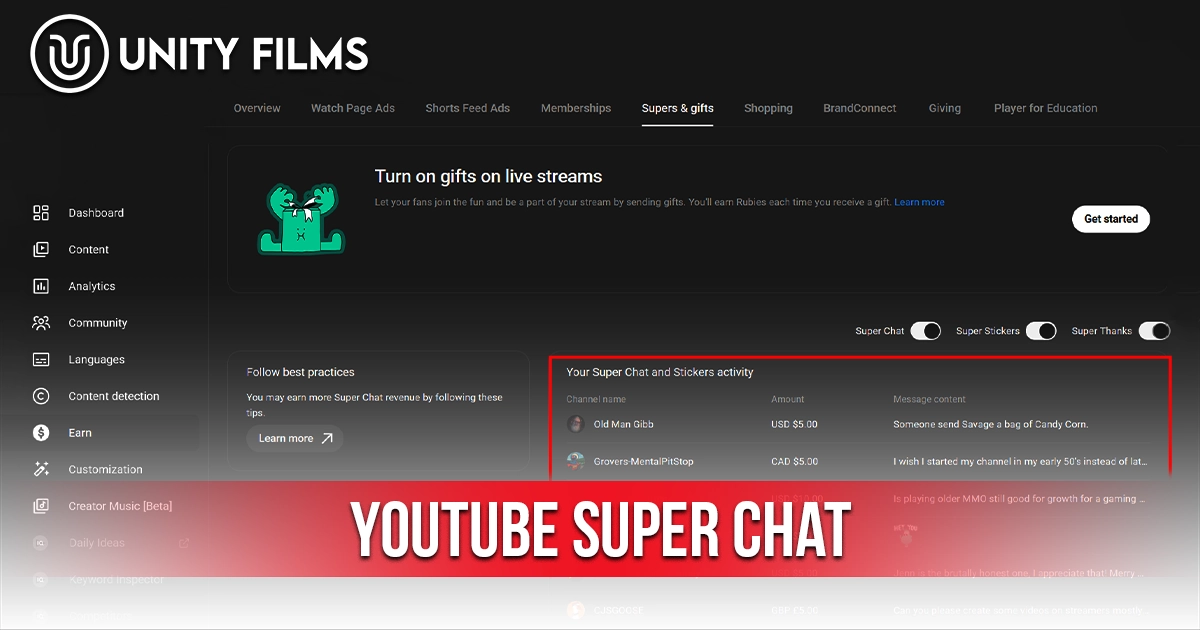
Most live streamers treat Super Chat like a tip jar nobody told the viewers about. They go live, hope for the best, and end the stream wondering why nobody sent anything. That’s not a Super Chat problem. It’s a setup problem.
YouTube Super Chat is one of the most direct ways creators turn live viewers into real income, and it sits behind a much lower barrier than most people think. You don’t need a million subscribers or a big production setup. You need a working strategy, eligibility, and the willingness to actually mention the feature exists.
Across channels we’ve worked on, the gap between streamers earning $0 from Super Chats and those earning hundreds per stream usually isn’t audience size. It’s whether they acknowledge supporters, set goals, and stream on a schedule people can plan around.
This guide covers what Super Chat actually is, the 2026 eligibility rules, how the revenue split works, every pricing tier, and seven proven tactics to grow Super Chat income on streams you’re already running.
What Is YouTube Super Chat?
YouTube Super Chat is a paid feature that lets viewers pay to have their chat message highlighted and pinned at the top of a live stream’s chat box. The higher the payment, the brighter the color, the longer the message, and the longer it stays pinned. At $500, a single message can stay visible for up to five hours.
Super Chat launched in 2017 to replace YouTube’s older fan-funding tools, and it’s become one of the cleanest ways for live streamers to monetize a real-time audience. No awkward donate button, no third-party app, no payout delay. The whole flow happens inside YouTube itself.
Three features live inside YouTube’s “Supers” family, and they’re easy to mix up:
| Feature | Where It Works | Price Range | Best For |
|---|---|---|---|
| Super Chat | Live streams + premieres | $1 to $500 | Real-time engagement |
| Super Stickers | Live streams + premieres | Lower tiers | Hype, fast-paced streams |
| Super Thanks | Regular uploaded videos + Shorts | $2 to $50 | Tipping after the fact |
Super Chat is the headline product. Super Stickers are animated visuals for quick support. Super Thanks lets fans tip on regular videos when you’re not live. All three use the same revenue split.
Super Chat Eligibility Requirements in 2026
The good news: the bar to unlock Super Chat is lower than most monetization features. YouTube uses a two-tier Partner Program now, and Super Chat sits in the lower fan-funding tier, not the full ad-revenue tier.
To enable Super Chat in 2026, you need:
- 500 subscribers
- 3 public uploads in the last 90 days
- Either 3,000 watch hours in the past 12 months OR 3 million Shorts views in the past 90 days
- A valid AdSense account linked to your channel
- 18+ years old
- A country where the feature is supported (over 100 in 2026)
A few content rules also apply. Channels marked Made for Kids have Super Chat disabled by default, with no override. Some sensitive content categories (certain news, tragedies, political events) are also blocked from accepting Super Chats.
Country availability changes regularly, and eligibility in some emerging markets is not always clear from YouTube’s documentation. Check the Monetization tab in YouTube Studio to confirm what is live for your account.
How the YouTube Super Chat Revenue Split Works
Here’s the number every creator wants to know first. YouTube takes 30% of every Super Chat, and the creator keeps 70%. A $10 Super Chat nets you $7. A $500 Super Chat nets $350.
That 70/30 split is significantly better than YouTube’s 55/45 share on standard ad revenue, which is why monetization guides push fan funding as a higher-margin income stream once you cross eligibility.
A few things to know about the math:
- Sales tax, App Store fees, and currency conversion can shave a few cents off each Super Chat before the split. iOS purchases especially carry an Apple service fee.
- Transaction costs like credit card processing are absorbed by YouTube, not deducted from your 70%.
- Earnings roll into your AdSense payout once you cross the $100 threshold.
Revenue accumulates per stream and shows in YouTube Studio under Analytics → Revenue → Supers, breaking down by viewer, stream, and tier.
YouTube Super Chat Pricing Tiers and Color Codes
YouTube Super Chat has a fixed tiered structure. Viewers pick the tier, and the price decides three things at once: the message color, the character limit, and how long it stays pinned at the top of chat.
| Price | Color | Character Limit | Pinned Duration | Typical Use |
|---|---|---|---|---|
| $1 to $4 | Blue | 50 characters | A few seconds | Quick “hi” or low-cost support |
| $5 to $9 | Green | 150 characters | 30 seconds | Light tip + short message |
| $10 to $19 | Yellow | 200 characters | 2 minutes | Common engaged-viewer tier |
| $20 to $49 | Orange | 225 characters | 5 minutes | Question or shout-out request |
| $50 to $99 | Magenta | 250 characters | 10 minutes | Major fan support |
| $100 to $199 | Red | 350 characters | 30 minutes | Top-tier engagement |
| $200 to $499 | Red | 350 characters | 1 to 2 hours | Heavy supporters |
| $500 | Red | 350 characters | 5 hours | Maximum impact |
How to Enable YouTube Super Chat (Step by Step)
Once you’ve hit eligibility, turning Super Chat on takes about five minutes. From a desktop browser:
- Step 1: Open YouTube Studio and sign in.
- Step 2: Click Earn in the left menu, then select the Supers tab.
- Step 3: Accept the Commerce Product Module terms if you haven’t already.
- Step 4: Toggle Super Chat and Super Stickers on (they’re separate switches).
- Step 5: Go live, and the features activate automatically wherever live chat is enabled.
You can also moderate Super Chats the same way as regular chat. Open Settings → Community in YouTube Studio to block words or auto-filter links. Moderators you assign can delete or hold Super Chats during the stream. Refunds for moderated Supers process automatically within 7 days.
7 Proven Ways to Earn More From Super Chat
This is where most creators leave money on the table. The feature works, but per-stream income lives or dies on framing. These seven tactics consistently move the needle.
1. Announce Super Chat Within the First Two Minutes
Many viewers genuinely don’t know the feature exists. A simple 30-second mention at the start, like “If you want to pin a question for me, send a Super Chat and I’ll answer it on screen,” converts more support than any creative tactic. Most casual viewers don’t tip because they were never told they could.
2. Pin a Visible Super Chat Goal
A live fundraising meter on screen, such as “$200 unlocks a Q&A round,” turns passive viewing into active participation. Goals create urgency. Without a goal, viewers have no reason to act now instead of later, and “later” usually means never.
3. Read Every Super Chat Aloud, By Name
This is the single biggest driver of repeat Super Chats. Skipping a viewer’s name kills momentum and makes the next viewer hesitant to send one. According to Gyre’s 2026 creator guide, acknowledgment is the strongest predictor of whether a supporter will tip again on future streams.
4. Stream on a Fixed Schedule
Predictable streams build loyal audiences who plan to attend, and planning means budgeting to tip. Random “going live now” pulls less revenue than a Tuesday 8pm stream people set reminders for. Consistency compounds over months.
5. Layer Super Chat Into Existing Live Content
Super Chat works best as a layer on top of valuable content, not a primary purpose. A stream where you’re genuinely teaching, gaming, or hosting Q&A pulls Super Chats organically. A stream that exists only to fundraise feels uncomfortable to most viewers, who quietly stop showing up.
6. Run Charity or Themed Streams Occasionally
Charity streams consistently generate several times the Super Chat volume of regular streams, because the cause adds emotional weight. A quarterly charity stream can be one of your biggest revenue events of the year.
7. Treat Live Streaming as One Pillar of a Bigger System
Probably more important than perfecting any single Super Chat tactic is treating live streaming as part of a broader channel strategy. Streamers who rely only on Supers tend to underperform creators who layer Super Chat onto a stack that includes ads, memberships, brand deals, and consistent uploads. If your upload side isn’t strong yet, our YouTube SEO checklist and end screen strategy cover the foundations Super Chat depends on.
Realistic YouTube Super Chat Earnings Expectations
Super Chat earnings follow a power law. A small number of streamers earn most of the revenue, while most channels see modest, occasional support.
Rough monthly Super Chat earning ranges (across 2026 data):
| Channel Profile | Typical Monthly Super Chat Income |
|---|---|
| Small channel, occasional streams | $0 to $50 |
| Mid-size channel, weekly streams | $100 to $500 |
| Highly engaged niche, regular streams | $500 to $3,000 |
| Top gaming/music streamers | $3,000 to $10,000+ |
Geography plays a huge role. Audiences in the US, Japan, South Korea, and Canada tip at significantly higher rates than other regions. Niche matters too: gaming, music, and live commentary channels typically out-earn talking-head business content even at similar viewer counts.
These ranges vary by niche and country, but they are the brackets most streamers fall into. If you are below your bracket, the issue is almost always engagement rather than audience size.
The Contrarian Truth About YouTube Super Chat
This is where most monetization guides get it wrong. They sell YouTube Super Chat as a primary income stream. For 99% of creators, it isn’t.
Super Chat is best understood as a loyalty layer, not a revenue engine. The viewers who tip are the same viewers who watch your other content, recommend you to friends, and stay subscribed for years. The dollar value is a secondary benefit. The real value is what those tippers signal: your most engaged audience identifying themselves so you can treat them better.
Chasing Super Chat as a primary income source usually leads to one of two failure modes. Either streams become uncomfortable fundraisers that drive away casual viewers, or the creator burns out producing live content that doesn’t match their strengths.
Most beginners optimize Super Chat for direct revenue. Smart creators optimize it for community signal. The revenue follows the community, never the other way around.
Frequently Asked Questions
How much does YouTube take from Super Chat?
YouTube takes 30%, creators keep 70%. A $10 Super Chat nets $7, and a $100 Super Chat nets $70. Sales tax, currency conversion, and App Store fees on iOS may shave a few cents off the gross before the split is calculated.
What are the requirements to enable Super Chat?
You need 500 subscribers, 3 public uploads in the last 90 days, and either 3,000 watch hours in the past 12 months or 3 million Shorts views in the past 90 days. You also need a linked AdSense account, must be 18+, and live in a supported country.
Why is Super Chat not showing on my live stream?
The most common reasons are that your channel doesn’t meet eligibility, the video is set to Made for Kids, your stream is unlisted or private, or you haven’t accepted the Commerce Product Module in YouTube Studio. Some sensitive content categories also disable Super Chat automatically.
How long do Super Chat messages stay pinned?
Pinned duration scales with the amount paid. A $1 to $4 Super Chat may show for a few seconds, while a $500 Super Chat stays pinned for up to 5 hours. Higher amounts also unlock brighter colors and longer character limits.
Can viewers send Super Chat from Pakistan?
Yes. Super Chat is available to viewers in over 100 countries, including Pakistan. Viewers pay through Google Play or a linked card during a live stream, and no separate app is needed. On the creator side, you need a linked AdSense account and a supported payout country to receive the earnings. If the Super Chat button does not appear during a stream, it is usually the creator’s channel that is not yet eligible rather than the viewer’s location.
Can viewers Super Chat on regular videos?
No. Super Chat works only on live streams and premieres. For regular uploaded videos and Shorts, YouTube offers Super Thanks, which uses the same 70/30 revenue split. Super Thanks tiers range from $2 to $50.
Also Read: YouTube Impressions Explained: What They Are and How to Get More in 2026
Final Thoughts
YouTube Super Chat isn’t the path to overnight income. It’s a slow-build loyalty system that pays you in both revenue and signal, letting your strongest supporters tell you who they are.
The mistake most creators make is treating Super Chat like a vending machine: insert a stream, expect dollars to fall out. The reality is a feedback loop. Acknowledge tippers, stream on a schedule they can plan around, and a small group of loyal viewers grows into a real revenue stream layered on top of everything else.
Start with the basics on your next live stream. Mention the feature in the first two minutes, set a visible goal, and read every Super Chat by name. Or if you’d rather skip the trial-and-error and have a team handle channel growth and monetization strategy end to end, Unity Films YouTube Management Services covers the full stack so you can focus on going live.